Stickiness for containers and content elements
Stickiness adds a behaviour to container / content elements so that they stay visible in the view port. Sticky elements play an important role for Single-Page-Apps and responsive UIs.
-
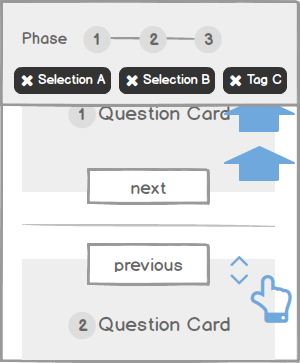
The top navigation and selection tags stay sticky on a long pagerDefinition
Stickiness is a behaviour that can be added to certain components / content elements / container. Once an element is sticky, it stays visible and on the same spot in the viewport.Sticky elements can be permanently sticky (the element is always sticky) or be variable sticky (become sticky only upon a certain user interface state).
There is relative and absolute positioning.Use Cases
- Sticky phase navigation above the Product Guide's content. Allows to keep the progress in view.
- Sticky selection tags above the content, keeps the choices made in view.
- Stickiness of action buttons, triggers or content elements in relation to another element e.g. a filter relative to the result list or a "help me choose" relative to a question card.
Evaluation
Stickiness is great if screen real estate is small and you want to focus the user on actions / content relevant only in certain uses cases. It allows to assure that elements remain visible / accessible even if the user scrolls / swipes down.
-
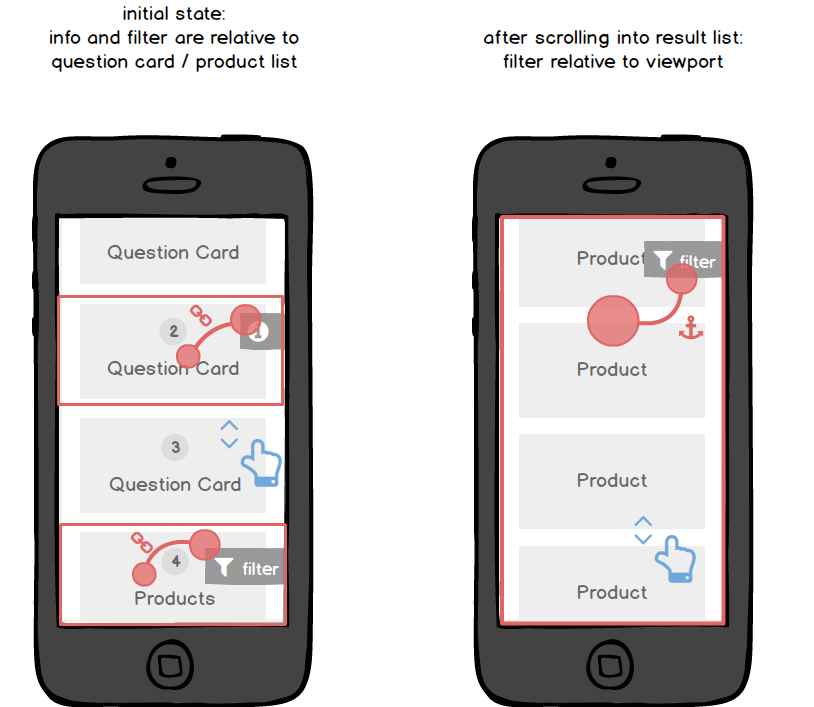
Relative or absolute positioning of sticky elements defines the behaviour where to the sticky elements are attached.
The above trigger ("i" for information) is sticky relative to the Question Card (i.e. always displayed right next to the Question Card). It can have an visible/invisible state, i.e. onlybe shown once the Question Card is entirely displayed within the viewport.
The below trigger ("show filter") is sticky relative to the viewport and thus its positioning is perceived as absolute for the user. If the user continues to swipe / scroll down, the element gets attached at a fix position within the viewport.
-
Sticky navigation and selection tags at myToys
:quality(80):format(png)/https://www.excentos.com/images/documentation/ui-portfolio/examples/stickiness.png)
The phase navigation and question cards are sticky above the question cards.
{module Link myToys Geschenkefinder}myToys Geschenkefinder{module Link Closingtag}
Stickiness in relation to content for SportScheck
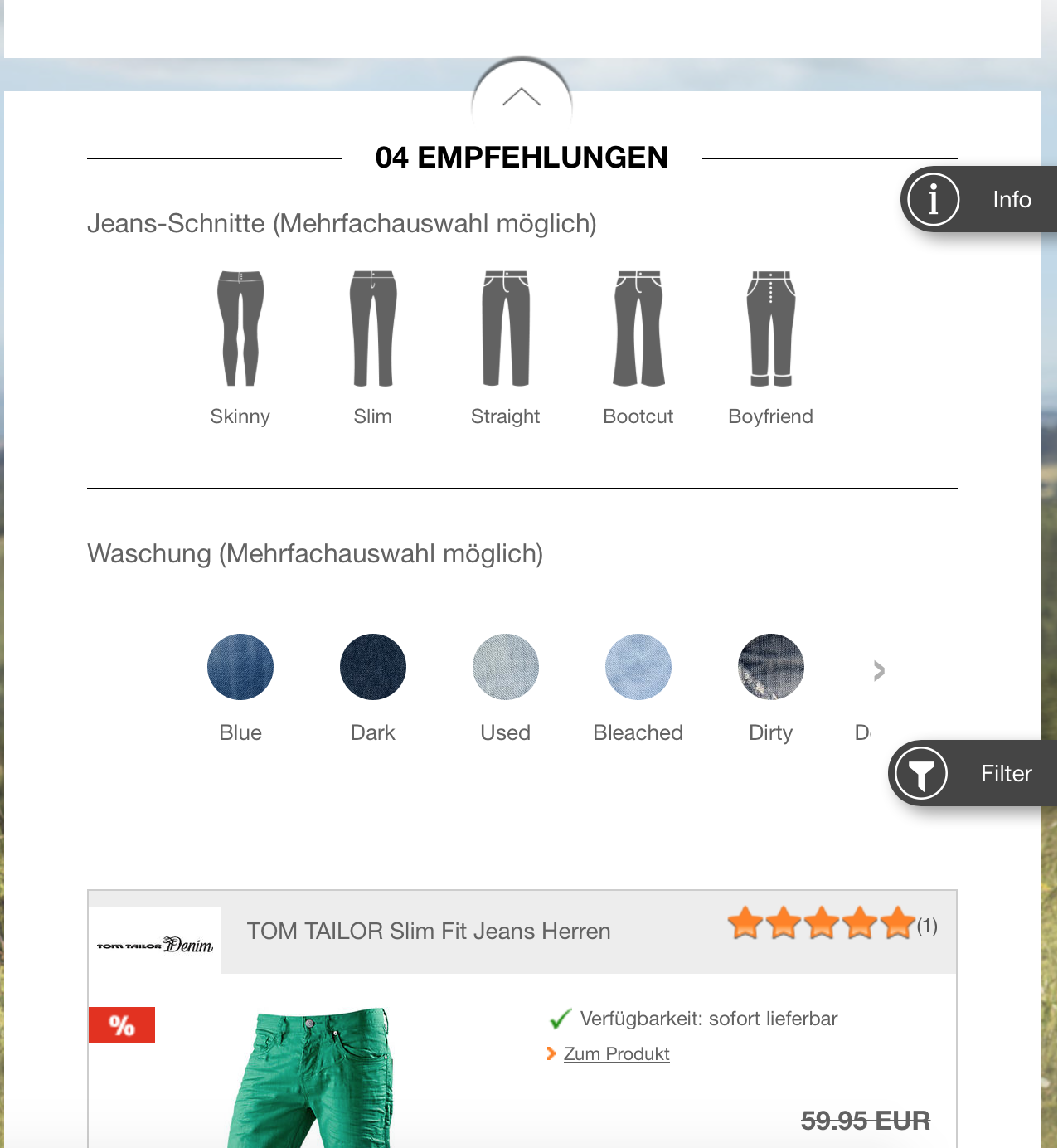
The "info" trigger is sticky relative to the question card. The "filter" trigger is sticky relative to the viewport. The trigger is only displayed once the source container / content element (in this case: result list) is displayed.
{module Link Sportscheck Jeansberater}SportScheck Jeansberater{module Link Closingtag}
